

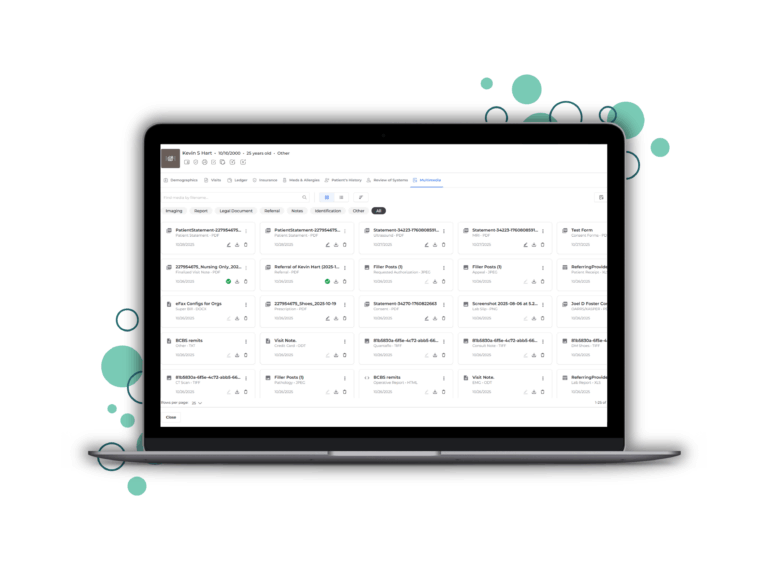
We’ve made significant improvements to how you view and manage patient media in Populate EMR. The updated Multimedia section is designed to help you find, organize, and edit files more easily.
Here’s what’s new:
1. Categorized Media Display
Populate now automatically organizes all media into categories.
Images, PDFs, videos, and other file types are neatly grouped, so you can quickly jump to exactly what you need without scrolling through everything else.
Whether you’re reviewing X-rays, gait videos, or treatment notes; the right files are now easy to spot at a glance.
2. Two Viewing Modes
Everyone works differently, so we designed two new view options:
- Card View gives you a quick, visual preview of each file.
- List View provides detailed information — ideal when you’re comparing dates, names, or file types.
Switch between them instantly, depending on what fits your workflow best.
3. Smarter Search and Sorting
We know how much time a good search can save.
Now, you can search by file name to locate exactly what you need in seconds — even across large patient histories. You can also sort files alphabetically or by date, in ascending or descending order, whichever makes the most sense for your review process.
4. Edit Categories and Types on the Fly
Need to update a file’s category or type?
You can now do it directly from either view; no pop-ups, no navigating away, and no disruption to your workflow. It’s a small change that adds up to big time savings, especially for practices managing high patient volumes.
5. Upload Multiple Files with Ease
Uploading is now smoother than ever.
You can add multiple files at once. Drag and drop or select from your device, and place them directly into the correct category. It’s simple, fast, and designed to help your records stay complete and organized from the start.
Why It Matters
When you’re seeing dozens of patients a day, every click counts.
The redesigned Multimedia section saves minutes on every interaction – minutes that add up to hours over the course of a week. When everything is where it should be, you can trust that your patient records are accurate, easy to navigate, and ready for review at a moment’s notice.
This update is the result of countless hours of engineering and feedback, and it’s built to make your everyday work in Populate smoother and more intuitive.
No more scrolling through endless lists. No more lost time.
Just fast, organized, and effortless access to every patient file.
Want to see how it works within the EMR, watch the full walkthrough below: